
Introduction
Spinning up a polished video once required crews, lights, and a budget that could fund a small film festival. Today, browser-based AI-video generators promise the same output in minutes. But how do you move beyond the novelty and make these tools work for your brand in a thoughtful, repeatable way?In this article we’ll cover:
- What AI-video generators actually do (and what they can’t do—yet)
- Scenarios where AI video outperforms traditional production
- A step-by-step workflow for planning, producing, and publishing AI-driven clips
- Creative examples from real campaigns
- Common pitfalls and how to measure success
Whether you’re part of a two-person startup or an established marketing team, you’ll leave with a clear playbook you can start testing this week.
1. What Exactly Is an AI-Video Generator?
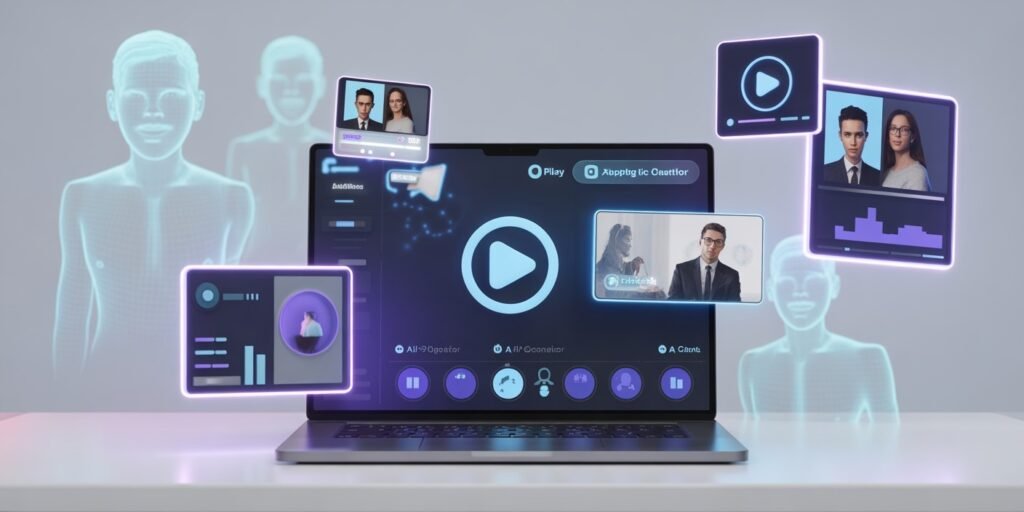
AI-video generators convert text, images, or audio into short, editable video files by combining several machine-learning models:
- Text-to-speech for voice-over narration
- Text-to-image for scene backgrounds, illustrations, or talking avatars
- Video templating engines that sync motion graphics to your script
- Optionally, a voice-cloning layer to keep your brand voice consistent
Popular Tools at a Glance
- Synthesia – best known for lifelike talking-head avatars.
- Runway – offers generative backgrounds and motion tracking.
- Pictory – turns blog posts into captioned social videos.
- VEED – quick for repurposing long-form footage into short clips.
“AI holds the camera steady so you can focus on the story.” – A note I jotted in my notebook after replacing a 4-hour edit session with Synthesia’s drag-and-drop interface last year.
2. Why AI Video Matters for Modern Brands
Cost & Speed
A 2023 Wistia report found the average professionally produced 90-second brand video costs US $1,200–$5,000 (source: Wistia 2023 Video Production Survey). AI-based versions often land under $100 and take hours, not weeks.
Multi-Language Reach
Several generators output in 30+ languages with native-sounding voices, which means you can localize campaigns without separate shoots.
Content Refresh at Scale
Got a product update? Swap the script, click “render,” and repost—keeping tutorials and ads accurate without reshooting.
3. When to Choose AI Video over Traditional Production
Not every asset should be algorithm-made. Use this quick filter:
- Tutorials & How-Tos – Information changes fast; AI lets you refresh versions monthly.
- Data-Driven Updates – Quarterly metrics videos, monthly product releases.
- Platform-Specific Clips – TikTok, Reels, YouTube Shorts that burn out quickly.
- Internal Communications – Onboarding, training, or CEO updates where cinematic flair is less critical.
Skip AI for:
- High-emotion storytelling, where actor performances matter.
- Live events, behind-the-scenes pieces, or brand films where authenticity is key.
4. A Step-by-Step Workflow for AI-Video Creation
Step 1. Align on Purpose
Before opening a tool, define: audience, primary message, and where the clip will live (social, email, landing page).
Step 2. Draft a Script
1–2 sentences per shot. Keep sentences short; AI avatars pause naturally at punctuation. Pro tip from my own tests: contractions (“we’re” vs. “we are”) sound less robotic.
Step 3. Choose the Right Generator
Match the use case:
- Avatar talking head? → Synthesia.
- Animated infographic? → Runway.
- Blog-to-video? → Pictory.
Step 4. Brand the Template
Upload:
- Hex color codes
- Fonts
- Logo overlay
- Intro/outro sting (even a 3-second motion logo helps credibility)
Step 5. Voice & Avatar Settings
If possible, record a 3-minute voice sample for cloning. It keeps the tone consistent across languages.
Step 6. Generate, Review, Tweak
Expect 2–3 renders. Watch for mispronunciation of product names. Most tools allow phonetic fixes, e.g., “SaaS” pronounced “sass,” not “saz.”
Step 7. Publish & Distribute
Upload directly or schedule via your social media manager. Don’t forget captions; 80% of mobile viewers watch on mute (source: Verizon Media, 2022).
5. Creative Use Cases in the Wild
Case Study A: Micro-SaaS Weekly Changelog
A two-person dev shop uses Pictory to turn GitHub release notes into 45-second “What’s New” roundups every Friday. Their support tickets referencing “How do I…” dropped 18 % after three months.
Case Study B: Language School Ads
A Madrid-based language school created the same Instagram ad in Spanish, English, and Japanese overnight with Synthesia avatars. CPA (cost per acquisition) for Japanese students fell by 35 %.
Case Study C: Internal Sales Enablement
My previous employer, a B2B logistics platform, replaced quarterly in-person sales kickoff videos with AI-generated explainers. Travel-related expenses dropped, but more importantly, every rep received the same pitch script, reducing message drift.
6. Pitfalls and Ethical Considerations
- Overuse of Stock Avatars – Recycled faces can look generic. Invest in a custom avatar or mix in real footage.
- Deepfake Missteps – Never impersonate real people without consent. It’s a legal and trust minefield.
- Caption & Accessibility Gaps – Include alt-text, subtitles, and transcripts for compliance.
- Platform Compression – Test exports; heavy compression can blur generated graphics.
Quick Reminder: Transparency builds trust. A simple note like “Video produced with AI tools” in the description heads off confusion or skepticism.
7. Measuring Success
Key Metrics
- View-through rate (VTR)
- Click-through rate (CTR) to the next step (sign-up, download, etc.)
- Cost per video vs. traditional production savings
- Time-to-publish cycle
A/B test AI clips against traditional edits for one campaign cycle to benchmark performance.
8. Getting Started This Week
- Pick one existing blog post or FAQ.
- Sign up for a free trial on an AI-video platform.
- Draft a 150-word script summarizing the post.
- Render, review, and publish.
- Track views for 7 days and share results with your team.
Conclusion
AI-video generators are not a magic replacement for every shoot, but they offer a practical, affordable way to keep pace with the ever-faster content cycle. By starting with clear goals, a tidy script, and an eye on quality control, any brand can fold these tools into its strategy no cinematography degree required.
Ready to test? Grab that blog post gathering dust in your CMS and see what a two-minute AI makeover can do. Then come back and let us know: Did your audience press play?